
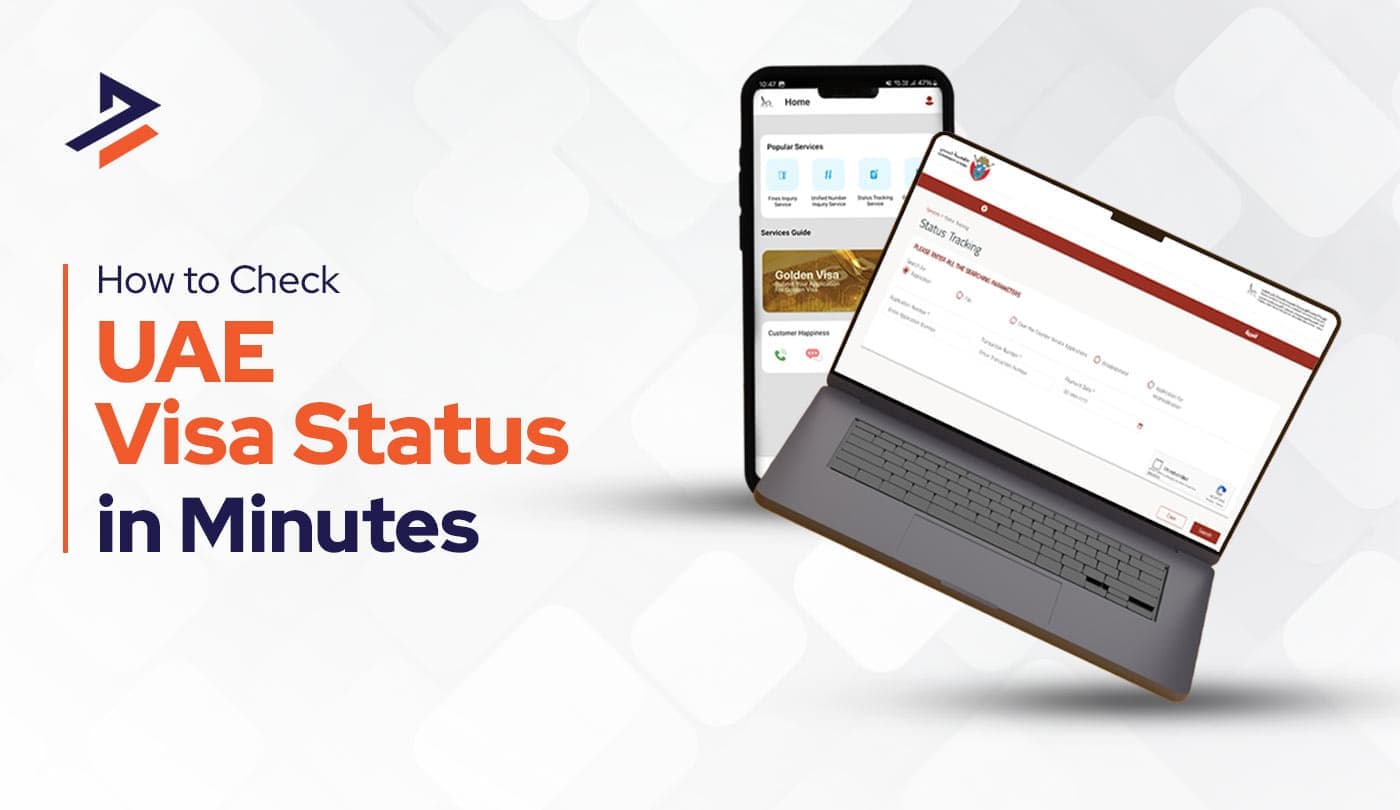
Want to perform a UAE visa status check? You can verify your visa application, validity, and expiry information online through the UAE’s official immigration authorities. However, the correct platform depends on where your visa was issued. Dubai visas are checked through GDRFA Dubai, while visas issued in other Emirates of UAE are generally checked through ICP.
You may also come across searches such as UAE visa check online, UAE visa check by passport number, Dubai visa check, or Dubai visa check online. While these searches have similar intent, the information and service you need can be different depending on whether you are checking an existing visa, tracking a new application, or verifying an entry permit.
This guide explains the process in simple steps and focuses on the official government channels available in 2026.
What is a UAE visa status check?
A UAE visa status check allows you to verify information connected with your UAE visa or visa application through the relevant immigration authority. It can be a tourist visa, work visa, freelance visa, business visa, free zone visa, or any other type.
You may be checking:
- Whether an application has been processed
- Whether an entry permit or residence visa is valid
- When the document expires
This is particularly useful before travelling to the UAE. So, instead of relying on an old visa copy or information provided by a travel agent, sponsor, employer, or friend, you can verify directly with the relevant government record.
Where to check UAE visa status online?
To check your UAE visa status, first identify the emirate that issued your visa.
| Visa Issuing Emirate | Authority | What You Can Check |
|---|---|---|
| Dubai | GDRFA Dubai | Visa status, validity, and application information |
| Abu Dhabi | ICP | Visa application and validity |
| Sharjah | ICP | Visa application and validity |
| Ajman | ICP | Visa application and validity |
| Umm Al Quwain | ICP | Visa application and validity |
| Ras Al Khaimah | ICP | Visa application and validity |
| Fujairah | ICP | Visa application and validity |
The official UAE Government portal currently advises applicants to use ICP for six emirates and GDRFA Dubai for Dubai visa applications and validity checks. The guidance was updated on 15 July 2026.
So, which website should you use?
Most common mistakes: using the wrong immigration authority.
Your location today does not necessarily determine which platform you should use. But the Emirate associated. For example, if you are physically in Dubai but your visa was issued through Abu Dhabi, you should follow the relevant ICP process not GDRFA’s.
ICP for Abu Dhabi and Other Emirates
For Abu Dhabi, Sharjah, Ajman, Umm Al Quwain, Ras Al Khaimah and Fujairah, the UAE Government directs users to the Federal Authority for Identity, Citizenship, Customs and Port Security, commonly known as ICP.
Official ICP website: https://icp.gov.ae/en/
GDRFA Dubai for Dubai Visas
For a Dubai-issued visa, use GDRFA Dubai.
Official GDRFA website: https://gdrfad.gov.ae/en
Why Should You Check Your UAE Visa Status?
Your UAE visa status tells you whether your visa is active, under process, cancelled, or close to expiry. A simple online check helps you stay informed and avoid surprises.
Common examples:
- You are waiting for a Dubai tourist visa and want to know if it has been approved.
- Your employment visa in Dubai has recently been issued and you want to verify it.
- Your residence visa is due for renewal.
- You have cancelled or changed your visa.
- You have changed your sponsor or submitted a new visa application.
In short, whenever there is a change to your visa, it is worth checking the latest status online rather than relying on an old document.
What information do you need for a UAE visa check?
The required details depend on the service you use.
Before starting your UAE visa check online, it is useful to have the following information available:
- Passport number
- Passport nationality
- Date of birth
- Visa or file number, if available
- Application number
- Application reference number
- Emirates ID, where applicable
- Email address used during the application
- Other information requested by the immigration portal
You may not need all of these details at the same time. Portals provide different search fields depending on the type of inquiry.
Step by step process of checking visa status in UAE
The exact screen can vary depending on the government service, but the general process is straightforward.
Step 1: Identify Your Visa Issuing Emirate
First, determine whether your visa is associated with Dubai or another emirate.
This is important because Dubai uses GDRFA, while the other six emirates listed above use ICP for the relevant visa application and validity checks.
If you received your visa from an employer, travel agency, airline, hotel, or other sponsor, check your visa or application documents for information about the issuing authority.
Step 2: Open the Official Government Portal
Once you know the correct authority, use its official online service.
For ICP-related applications, use the official ICP website and its smart services. For Dubai, use GDRFA Dubai’s official visa-status and application-tracking services.
The UAE Government confirms that entry permits can be applied for through ICP, GDRFA Dubai, the ICP app, Dubai Now, and registered typing centres.
Step 3: Enter the Required Information
The information required depends on the service.
You may be asked for an application number, reference number, passport information, Emirates ID, file information, date of birth, nationality, or other identifying details.
Do not assume that every visa-status service works with only a passport number, because, different government services request different information.
Step 4: Submit the Request
After entering the requested details, submit the inquiry.
Review the information carefully before proceeding. A wrong application number, passport detail, email address, or other identifier can prevent the system from locating your record.
Step 5: Review Your UAE Visa Status
Once the system finds your record, carefully review the information displayed.
Depending on the service, you may be able to identify application progress, visa validity, issuance information, or expiry information.
If you are preparing for travel, pay particular attention to the relevant validity and expiry details.
UAE Visa Check by Passport Number: Can You Do It?
UAE visa check by passport number is a popular search because many travelers have their passport available but do not know their application or visa number.
However, there is an important distinction: not every UAE visa-status service uses only a passport number. If you are searching for a UAE visa check by passport number, do not rely on a third-party website that promises that a passport number alone will always reveal your visa status.
Instead, identify the relevant authority and use the government service that matches your situation.
How to check Dubai visa online?
If your visa was issued in Dubai (your file number starts with 201), you can perform a Dubai visa check online through GDRFA Dubai through your email address used in the application, Emirates ID where applicable, and the application reference number.
Step 1: Go to the GDRFA Dubai website.
Step 2: Navigate to “Visa Status” or the “Visa Inquiry” section.
Step 3: Select your search method (usually “Passport Information” is easiest).
Step 4: Enter your Passport Number, Nationality, and Date of Birth.
Step 5: Click “Submit.” The system will instantly show if your status is “Active,” “Expired,” or “Cancelled.”
Common scenarios:
A. Dubai visa check online for an existing visa
If your Dubai visa has already been issued, use the relevant GDRFA visa-status service.
B. Dubai visa application status
Use the GDRFA application tracker. Keep your application reference number and the email address used when submitting the application available.
How to check UAE visa status through “ICP”?
The ICP (Federal Authority for Identity and Citizenship) portal is the go-to platform for all visas issued outside of Dubai, such as Abu Dhabi, Sharjah, Ajman, Fujairah, Umm Al Quwain, and Ras Al Khaimah visa.
Step 1: Visit the official ICP Smart Services portal.
Step 2: Click on the “Public Services” tab.
Step 3: Look for the “File Validity” service and click “Start Service.”
Step 4: Select the “Passport Information” radio button.
Step 5: Choose the “Visa” or “Residency” option depending on your status.
Step 6: Enter your Passport Number and Passport Expiry Date.
Step 7: Select your Nationality from the dropdown menu, complete the Captcha, and hit “Search.”
UAE visa status vs visa validity vs application status
These terms are often used interchangeably online, but they can refer to different things.
| Term | What It Generally Means |
|---|---|
| UAE Visa Status | Current information associated with your visa or immigration record. |
| Visa Validity | Whether the issued visa or permit remains valid and its relevant dates. |
| Visa Expiry Date | The date associated with the end of the applicable validity. |
| Visa Application Status | The progress of an application that has been submitted. |
| Entry Permit Status | Information relating to an entry permit. |
| Residence Visa Status | Information relating to a UAE residence visa. |
Understanding the difference helps you select the correct online service.
For example, someone waiting for a new tourist visa may need application tracking, while someone who already holds a residence visa may be looking for validity and expiry information.
How to check UAE visa expiry date?
Checking your UAE visa expiry date is an important part of verifying your visa validity.
- The UAE Government describes visa validity checking as checking the issuance and expiry dates of an existing entry permit or residence visa.
- If your visa is from Dubai, use GDRFA Dubai. If it falls under the ICP system, use ICP.
- Do not calculate your expiry date based solely on the date you entered the UAE. Different visa categories can have different validity and stay conditions.
UAE visa status check for tourist and visit visas
Tourist and visit visa holders can also need to verify their visa information before travelling or remaining in the UAE.
- For Dubai Tourists: Use the GDRFA Application Tracking tool. You will need your Application Reference Number (sent to you by your travel agent, hotel, or airline).
- For Other Emirates: Use the “Application Tracking” service on the ICP portal. Simply enter your Application Number to see if your visa has been “Approved” or is still “In Progress.”
UAE residence visa status check (for long-term residents)
If you live and work in the UAE, checking your residence visa status can be useful after a new visa issuance, renewal, cancellation, or sponsor-related change.
For a Dubai residence visa, GDRFA is the relevant authority. For residence visas covered by the federal system, ICP is the relevant platform.
Note:
Emirates ID application check is not the same as a visa-status check. ICP provides a separate ID Card Status service that uses the PRAN/IDN/request number or Emirates ID number for applicable applications.
What if your UAE visa status is not showing online?
Sometimes your visa information may not appear immediately.
Before contacting an authority, check these common issues:
1. You are using the wrong authority.
Dubai visas are handled through GDRFA, while the other six emirates listed earlier use ICP for the relevant visa checks.
2. You selected the wrong service.
Application tracking and visa validity checking are different services.
3. Your information is incorrect.
Check your application number, reference number, passport details and other information carefully.
4. The application is still being processed.
A recently submitted application may not immediately show the result you expect.
5. Your visa information has recently changed.
If a sponsor has just submitted a renewal, cancellation, or other request, the record may require time to update.
If the problem continues, contact the relevant government authority or your visa sponsor for clarification.
What should you do if your UAE visa has expired?
If your UAE visa status indicates that your visa has expired, the appropriate action depends on your visa type, location, sponsorship arrangement, and current immigration circumstances. So, you can go for visa extension or maybe switch to some other kind.
The UAE Government provides separate information covering visa fees, overstay fines and procedures for modifying visa status.
If you believe your visa has expired, verify the official record first. If you are unsure about your immigration position, contact the relevant authority or a qualified UAE immigration professional before taking further action.
How to contact UAE immigration authorities?
If an online UAE visa check does not provide the information you need, you can contact the relevant authority.
- For ICP-related enquiries, the UAE Government currently lists 600522222 as the ICP toll-free number.
- For Dubai visa enquiries, it lists 8005111 when calling from within the UAE and +9714-313-9999 when calling from outside the UAE.
Keep your passport, visa copy, application reference, Emirates ID if applicable, and other relevant documents available when making an enquiry.
Common mistakes when checking UAE visa status
A few simple mistakes can make a straightforward visa check confusing.
- Using GDRFA for a non-Dubai visa: The first step should always be identifying the issuing emirate.
- Assuming passport number always works: Some services require application or reference numbers and additional information.
- Confusing application status with visa validity: A pending application and an already-issued visa are two different situations.
- Using unofficial websites: Third-party websites can provide useful explanations, but official government platforms should be used when verifying your actual immigration record.
- Relying on old visa information: If your visa has recently been renewed, cancelled or changed, verify the current status rather than relying on an old document.
UAE visa status check: Official government sources
For the most reliable information, use official UAE government sources.
The UAE Government’s visa guidance explains which authority should be used for each emirate and provides the current contact details for ICP and GDRFA Dubai.
You can also use the official UAE Government visa application and validity guidance and the relevant ICP services or GDRFA Dubai visa-status service.
Conclusion
UAE visa status check is a simple habit that can save you from a lot of trouble. It helps you avoid fines, overstays, travel issues, and last-minute confusion. With the UAE’s online systems in 2026, keeping track of your visa details is quick and easy. When you stay updated, you stay in control – and that makes your time in the UAE much smoother.
For Dubai visa check online, use GDRFA Dubai. For visas issued in Abu Dhabi, Sharjah, Ajman, Umm Al Quwain, Ras Al Khaimah and Fujairah, use ICP. The UAE Government’s current guidance confirms this division and distinguishes between checking an application and checking the validity of an existing visa.
Get reliable UAE visa services with Dubiz
If you ever need help with Dubai visa checks, renewals, cancellations, or understanding your visa status, Dubiz is here to support you. Our experienced team takes care of the entire visa process and clears up any doubts along the way. With the right guidance, you can stay compliant and stress-free while you enjoy your time in the UAE.
📞 Call: +971 56 369 5485
💬 WhatsApp: +971563695485
📧 Email: info@dubiz.co
Q1. How can I check my UAE visa status online?
You can check your UAE visa status online through ICP or GDRFA Dubai, depending on where your visa was issued. Dubai visas are checked through GDRFA, while visas from Abu Dhabi and the other six emirates listed by the UAE Government are checked through ICP.
Q2. Can I check my UAE visa by passport number?
A passport number can be used for certain immigration inquiries, but not every UAE visa-status service works using only a passport number. The required information depends on the authority and type of inquiry. GDRFA’s status inquiry, for example, provides different search options and may request passport and nationality information.
Q3. How can I check my UAE visa expiry date?
Use the official visa-validity service provided by the authority responsible for your visa. Dubai visas are checked through GDRFA Dubai, while the relevant visas issued in Abu Dhabi and the other specified emirates are checked through ICP
Q4. What should I do if my UAE visa status is not showing?
First, confirm that you are using the correct authority and the correct service. Then check your application, passport, reference or other identifying information. If you still cannot find the record, contact ICP, GDRFA Dubai, or your visa sponsor for assistance.